

Customize your QR
You can customize these templates later to match your brand












Trusted by more than 850,000 brands since 2018





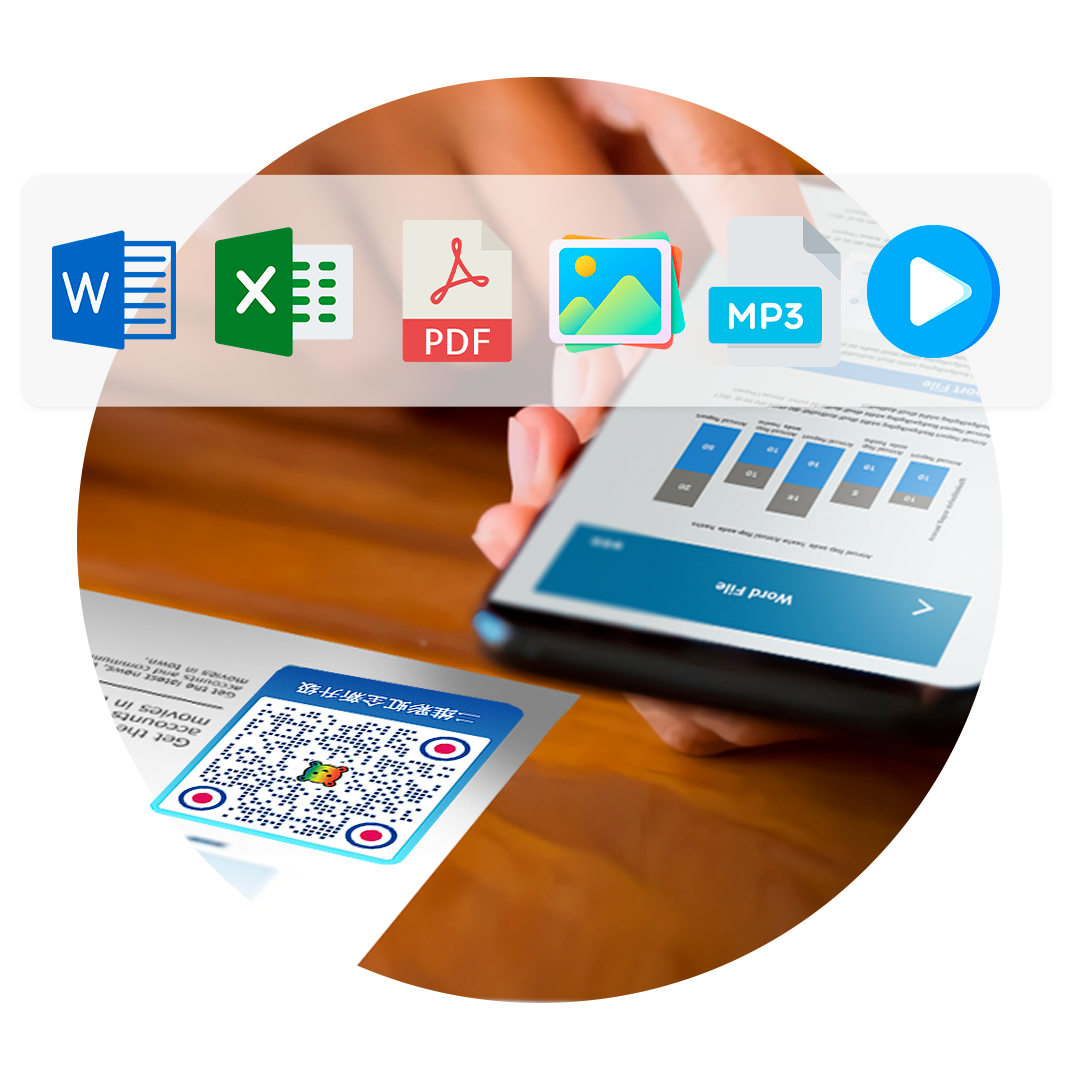
Advanced file QR code generator
Convert a file to a QR code using a file QR code generator online. Share your documents with a scan for faster, mobile-optimized resource sharing.
What is a File QR code?
A PDF or file QR code lets you share files—including PDFs, image files (JPEG or PNG), video files, Excel and Word documents—in just a scan. It’s a dynamic solution that you can edit and update any time.

Share files from anywhere
Forget about storage problems or sharing files manually. Whether it’s for educational or commercial purposes, file QR codes are the go-to solution for convenient resource-sharing.

File to QR code in just a snap
Converting files into scannable QR codes is made extremely easy with QR TIGER. Turn your files into a resource that can be read by mobile devices.
Use cases
Real-world examples of file QR codes in action

How do I turn internal company documents into a QR code?
Turn office documents into a file QR code in one click — share them fast, read them by scanning, and get more done.
View case study
How do I turn a tea inspection report into a QR code?
Give every product a QR code for its certificate of inspection: traceable, transparent, and reassuring for the customer.
View case study
How do I turn trade-show product literature into a QR code?
Company profiles, product catalogues and case studies become a QR code in one click — ready for customers anywhere in the world to scan.
View case studyHow do I turn a PDF into a QR code?
Three simple steps to create and customize your QR code
Step 1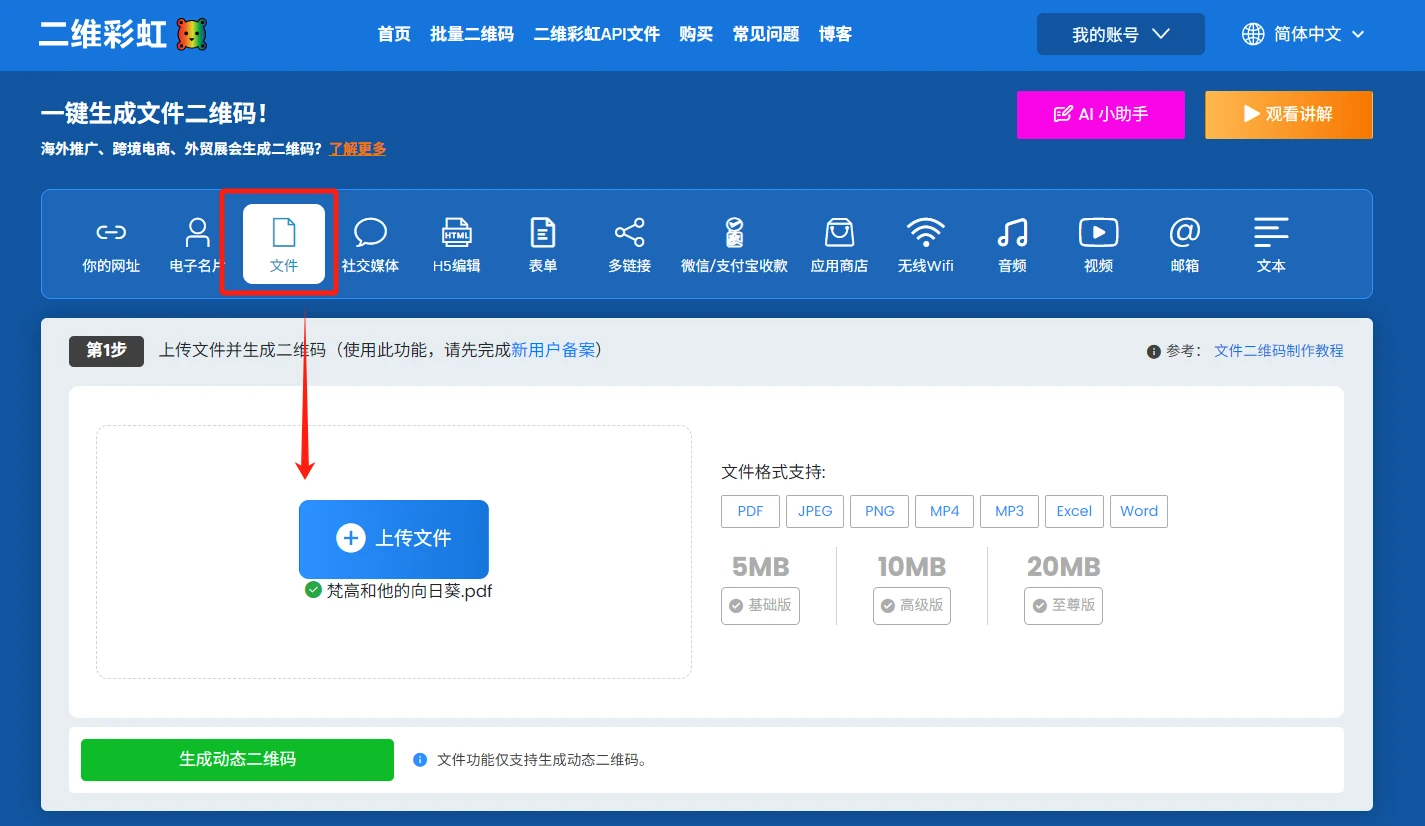
Choose the File option and upload the PDF you have ready — a product brochure, a user manual, a certificate of inspection, an industry report and so on. Then click Generate QR code. Do keep an eye on the size limit for a single file.
Step 2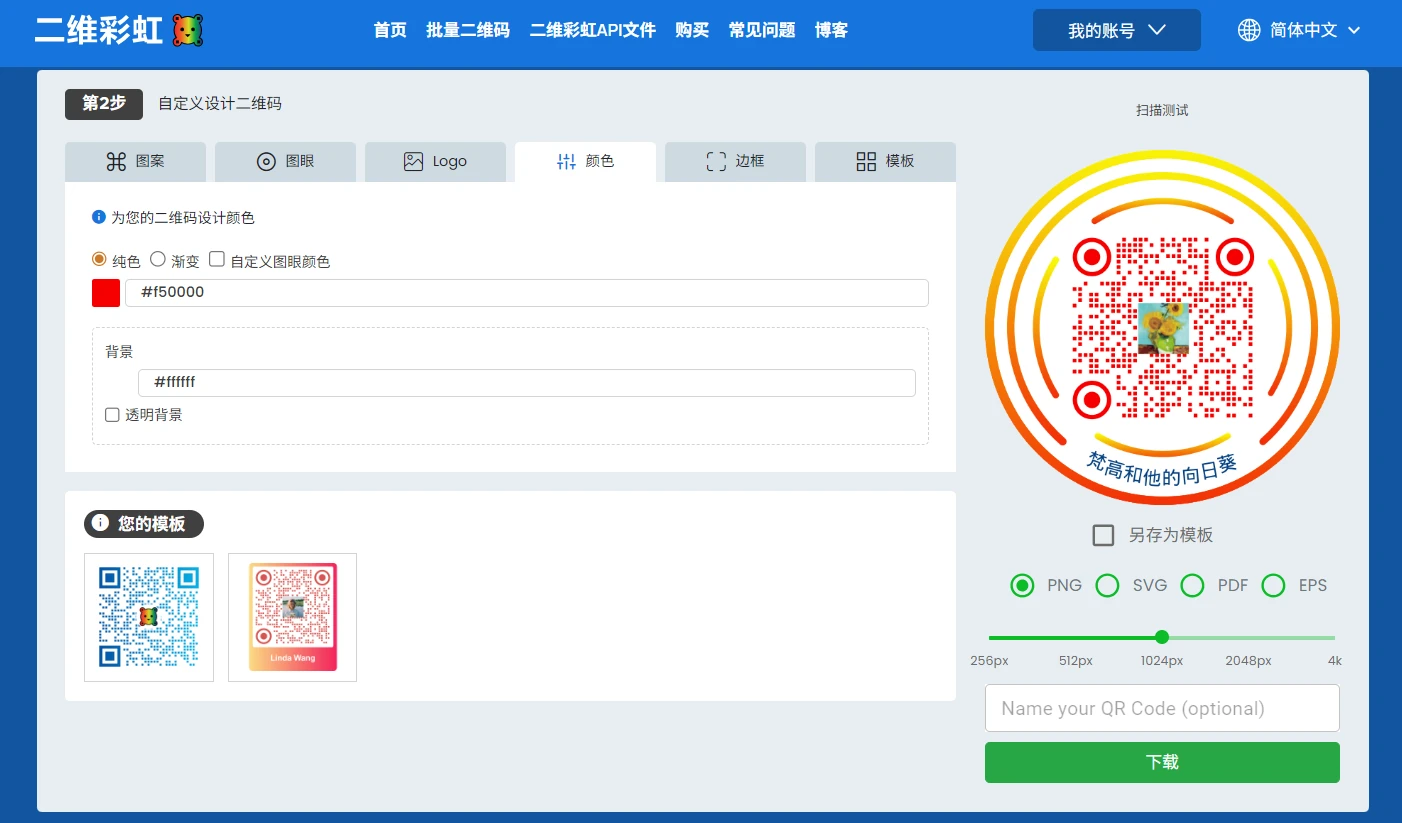
Style the file QR code further if you want to.
Step 3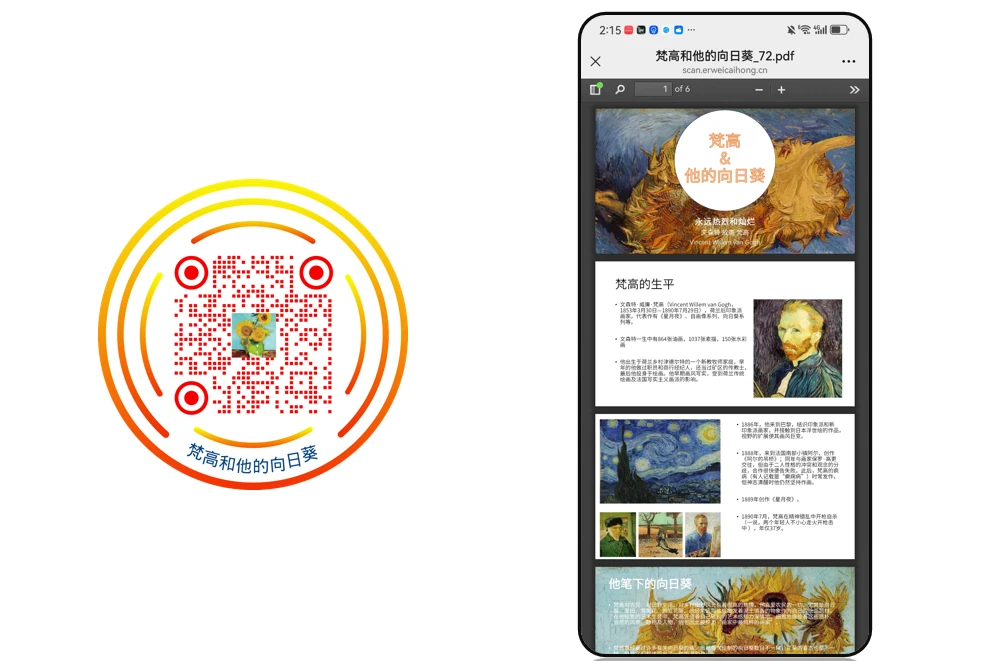
Scan to test the file QR code, then download it.
What are the benefits of File QR codes?
Our dynamic QRs allow all users to blend their brand kit seamlessly into their file QR codes. It supports various file formats—PDF, JPEG, PNG, MP4, Excel, and Word.

They perform better
QR TIGER’s file QR code is an advanced dynamic QR code solution. They’re packed with cutting-edge features that transform resource-sharing.
You can edit them any time
With a dynamic file QR code, you can change both the design and link any time. Update the stored file directly from your dashboard without having to create (and spend for) a new QR.
Used across many industries
File QR codes are widely used in education, healthcare, government, events, and marketing. But anyone can use them for direct file-sharing.
Make your QR your own
Our QR code generator has an impressive QR code customization tool that can boost scans by 80%, based on our studies. It supports full QR code customization from logos, colors, eyes, patterns, and more.
Faster than downloads
Thanks to our advanced file QR solution, scan-to-save files are now made possible. Experience modern file sharing with this practical solution.
What top brands love about QR TIGER
File-sharing is made easy with a fast, reliable, and secure QR software
Full QR code customization
Make a statement with your QR code alone with the best QR code generator online. Our impressive QR code customization feature can help you better align it with your campaigns.
Robust QR code provider
Our all-in-one QR code platform offers a wide range of modern solutions and features. More than 20 need-specific QR solutions are available for all types of users.
Real-time QR code statistics
Keep your eyes on all of your QR codes. Easily access your QR code analytics overview on your account dashboard to trace and monitor their performance.
Software Integration
Enjoy a seamless transition from one CRM platform to another. Integrate your QR TIGER account with HubSpot, Zapier, Canva, Monday.com, and more!
Dedicated 24/7 Support
Our customer support prioritizes smooth and excellent user experience. They’re equipped to quickly provide need-specific answers to all queries 24/7.
Seamless Performance
Experience maximum productivity with our ever-efficient system—99.9% service uptime and rapid auto-scaling server clusters.
Frequently Asked Questions
Follow Us

Exchange Links

This QR Code Generator is a registered trademark of QR TIGER PTE. LTD..
'QR Code' is a trademark of DENSO WAVE INCORPORATED. © 2025 www.qrcode-tiger.com
'QR Code' is a trademark of DENSO WAVE INCORPORATED. © 2025 www.qrcode-tiger.com