

















Smart QR code generator
Store multiple links in one QR code with our multi URL QR code generator. Take your scanners to the right landing page based on time, location, language, and more.
What is a multi URL QR code?
Think of a single QR code that changes its destination link depending on the user’s attributes. That is multi URL—a smart solution that can show different pages based on the time scanned, language used, number of scans, and location of the user.

Why use a multiple URL QR code?
A single QR that leads to different pages can serve different purposes. For example, if you want to show web pages in different languages for users in different countries. Or display a breakfast, lunch, and dinner menu depending on the time a customer scans the QR code.

Get things organized
Run multiple campaigns simultaneously using only one quick response code. Reach a diverse target market with one tool using our dynamic QR code generator.
Use cases
Real-world examples of multi-URL QR codes in action

How do I make a WeChat group QR code that does not expire?
A WeChat group QR code expires after seven days. A dynamic code keeps bringing people in indefinitely — essential for running your own community.
View case study
What a multi-URL QR code does, and how to use it
Show different content depending on where the code is scanned, how many times it has been scanned, what time it is, or the language of the phone.
View case study
How do I feed one code into several WeChat groups?
A single dynamic QR code spreads customers evenly across different WeChat groups, so you sign up more of them.
View case studyHow do I create a multi-URL QR code?
Three simple steps to create and customize your QR code
This feature is usually combined with the others. It lets you:
- (1) use the scan count to feed one dynamic code into several WeChat groups, and keep the group code working indefinitely;
- (2) show a different page, with different information, depending on the time of the scan;
- (3) send phones set to different languages to different pages — common at tourist sites and trade shows;
- (4) send people in different cities to different pages, which suits region-by-region brand campaigns.
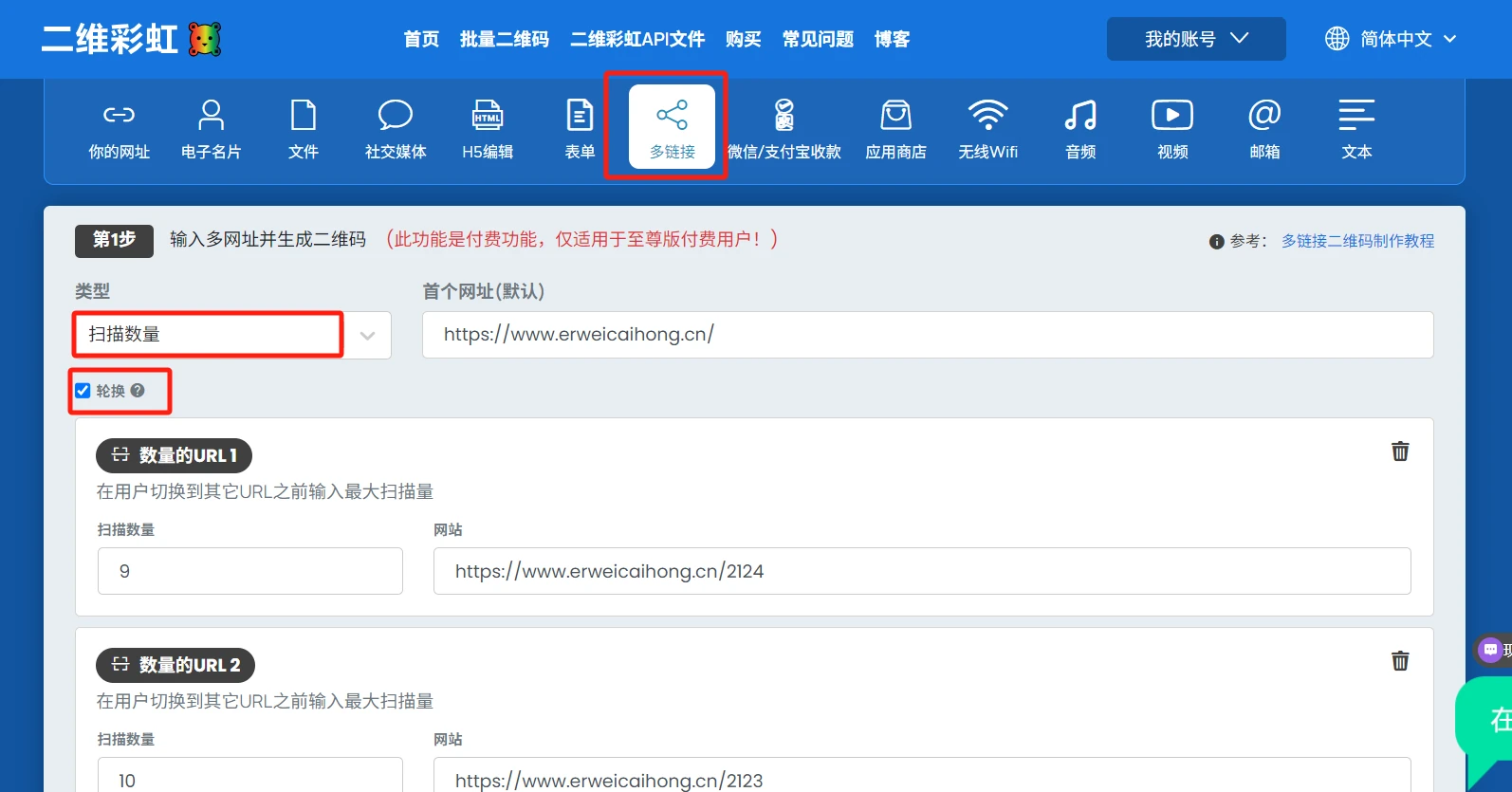
Choose the Multi-URL option. The type dropdown offers four choices: location, scan count, time and language. Pick the one you need, then set the rule and the destination link. When you are done, click Generate QR code.
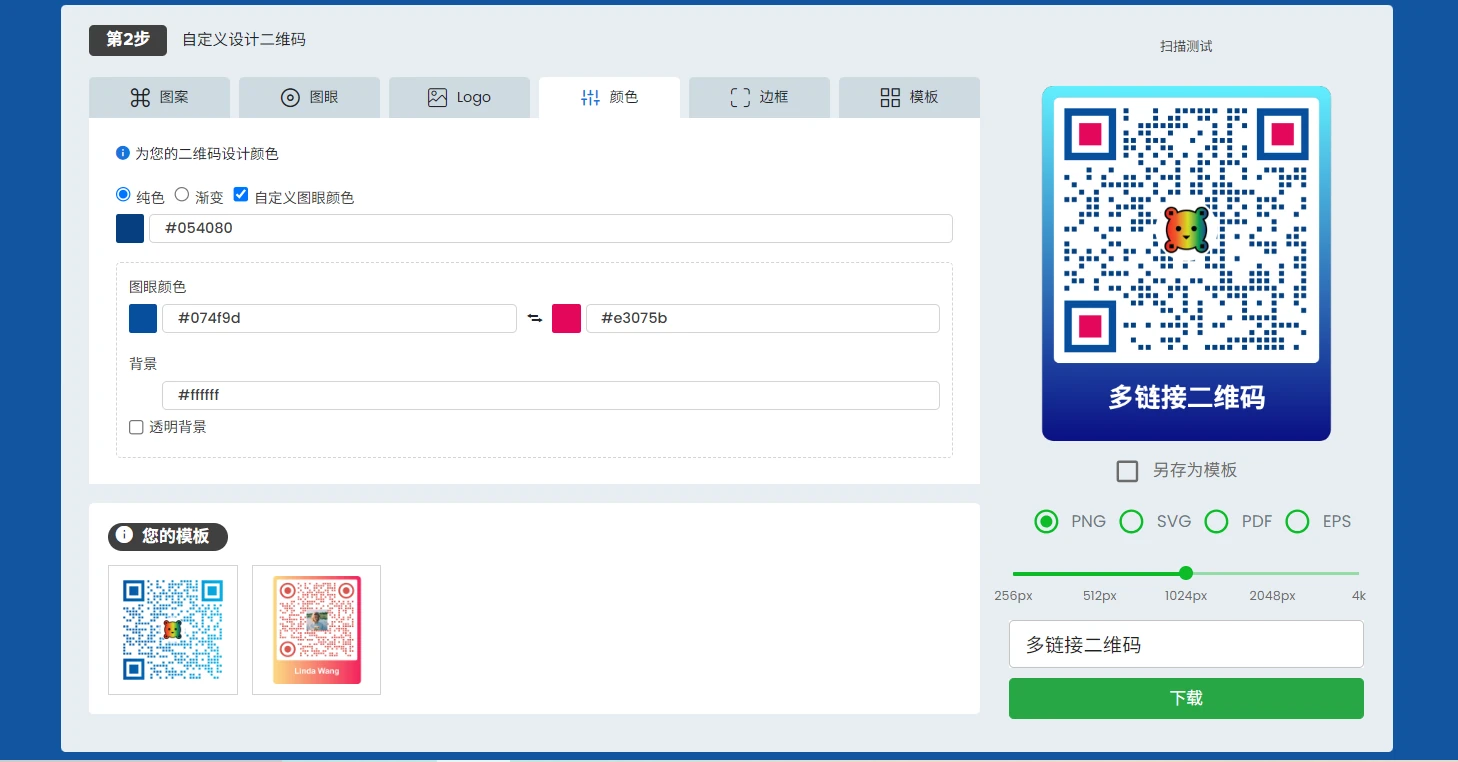
Style the multi-URL QR code.
Test by scanning. Scan several times to confirm the rules behave as set and that every destination link opens correctly. Then download and use it.
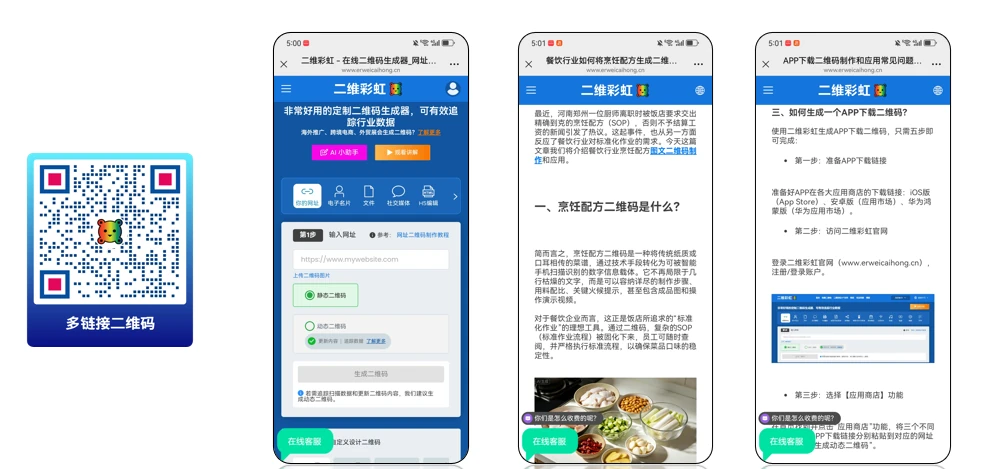
Why use a smart multi URL QR code
Do more with only one QR code. Communicate the right message with your target scanners at the right time using a multiple URL QR code generator.
Here’s why you shouldn’t miss this tool:

They’re a multi-tasker tool
Our multi URL QR solution is superior at storing various resources and taking your scanners to the right information. It can manage different links—websites, landing pages, apps, time-based menus, and more.
Packed with more features
Our multi URL solution has built-in features that can help you achieve a more inclusive and comprehensive campaign that speaks to the right audience at the right place and time.
Communicate better
Clear out the digital noise and information overload. Deliver the right message to the right audience in a snap. Offer timely and relevant resources to your target market with a single code. Update the stored content in your code anytime.
Know your scanners
Our multi URL solution comes with a built-in analytics dashboard. This lets you gain deeper insights into your audience. You can see where your scanners came from, what time and how frequently they scan your code, and more.
Bridge marketing gaps
Many businesses are still struggling to achieve a cohesive and seamless customer journey. Current marketing gaps and challenges highlight the need for more personalized content, a mobile-first strategy, and the use of emerging technologies like QR codes.
Why QR TIGER is the most advanced QR code generator
What makes us the best QR code generator for multiple links
Branded quick response codes
Craft unique codes that shine by seamlessly blending your branding elements into your code design.
Complete solutions
QR TIGER has an ever-growing list of need-specific solutions and features that fit every business’ needs and budget.
Accurate data
Get insights that help you better understand your target market or scanners. View scan analytics at a glance.
Works with your favorite platform
QR TIGER is compatible with popular CRM platforms—Canva, Zapier, HubSpot, Monday.com, and more.
Quick customer assistance
Our dedicated customer success managers are ready 24/7 to ensure your code works perfectly from creation to deployment.
Superior performance
Our software is built with rapid auto-scaling server clusters and 99.9% service uptime to ensure an uninterrupted experience.
Frequently Asked Questions
Follow Us
Exchange Links

'QR Code' is a trademark of DENSO WAVE INCORPORATED. © 2025 www.qrcode-tiger.com